# Optimization Component

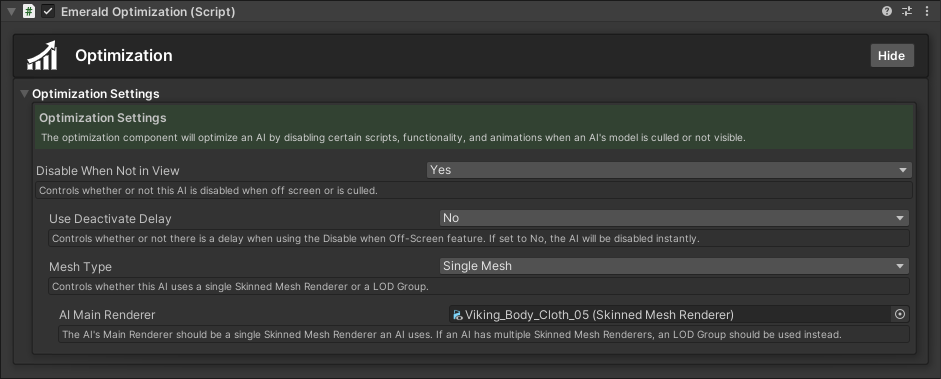
<figure><img src="https://content.gitbook.com/content/v03IiZPaMe8fX49a9MnO/blobs/GvcVcTkadTTzDQarGfGb/OptimizationComponent.png" alt=""><figcaption><p>The Emerald Optimization Component. Pressing the foldout area will expand its options.</p></figcaption></figure>

## Using the Optimization Component

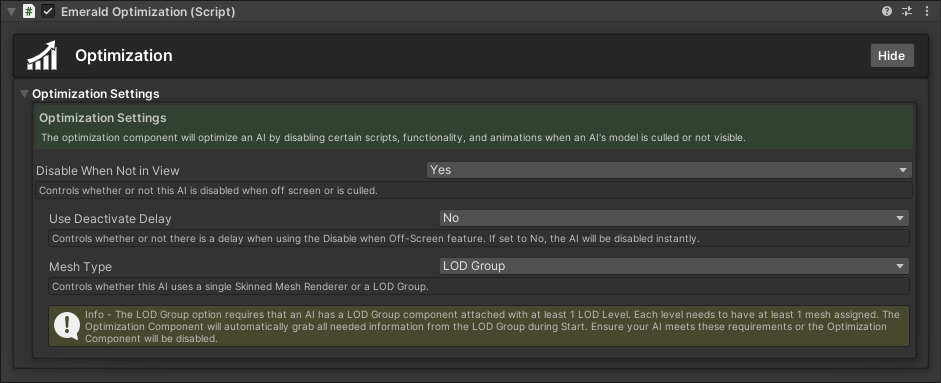
The Optimization Component optimizes AI by disabling certain scripts and functionality when an AI's model is culled or not visible. By default, the Skinned Mesh Renderer option is used. However, there is also an option to use an [LOD Group](https://docs.unity3d.com/Manual/class-LODGroup.html) for AI who have multiple levels or portions of meshes.

{% hint style="success" %}
Here are the available tutorials and guides for the Optimization Component.
{% endhint %}

<table data-view="cards"><thead><tr><th></th><th></th><th></th><th data-hidden data-card-cover data-type="files"></th><th data-hidden data-card-target data-type="content-ref"></th></tr></thead><tbody><tr><td></td><td><p>           Applying the </p><p> Optimization Component</p></td><td></td><td><a href="https://content.gitbook.com/content/v03IiZPaMe8fX49a9MnO/blobs/jtxVFFoYLORtUIMzZgLz/OptimizationComponentFullSingleMesh.png">OptimizationComponentFullSingleMesh.png</a></td><td><a href="optimization-component/applying-the-optimization-component">applying-the-optimization-component</a></td></tr><tr><td></td><td>        Setting up the  Optimization Component</td><td></td><td><a href="https://content.gitbook.com/content/v03IiZPaMe8fX49a9MnO/blobs/af0atcqbttx4ZtoN0vqM/OptimizationComponentFullLODGroup.png">OptimizationComponentFullLODGroup.png</a></td><td><a href="optimization-component/setting-up-the-optimization-component">setting-up-the-optimization-component</a></td></tr></tbody></table>